
Chapter 1
A system so your AI doesn't forget

In this chapter, we link a short set of directions to your daily records, so that the AI does not have to ask everything again from scratch each time.
1. The story
When Seichan asked Kode to continue yesterday's work, Kode asked, "How far did we decide yesterday?" After repeating the same explanation to Kuro as well, Seichan realised that more time was going into explaining than into the work itself.
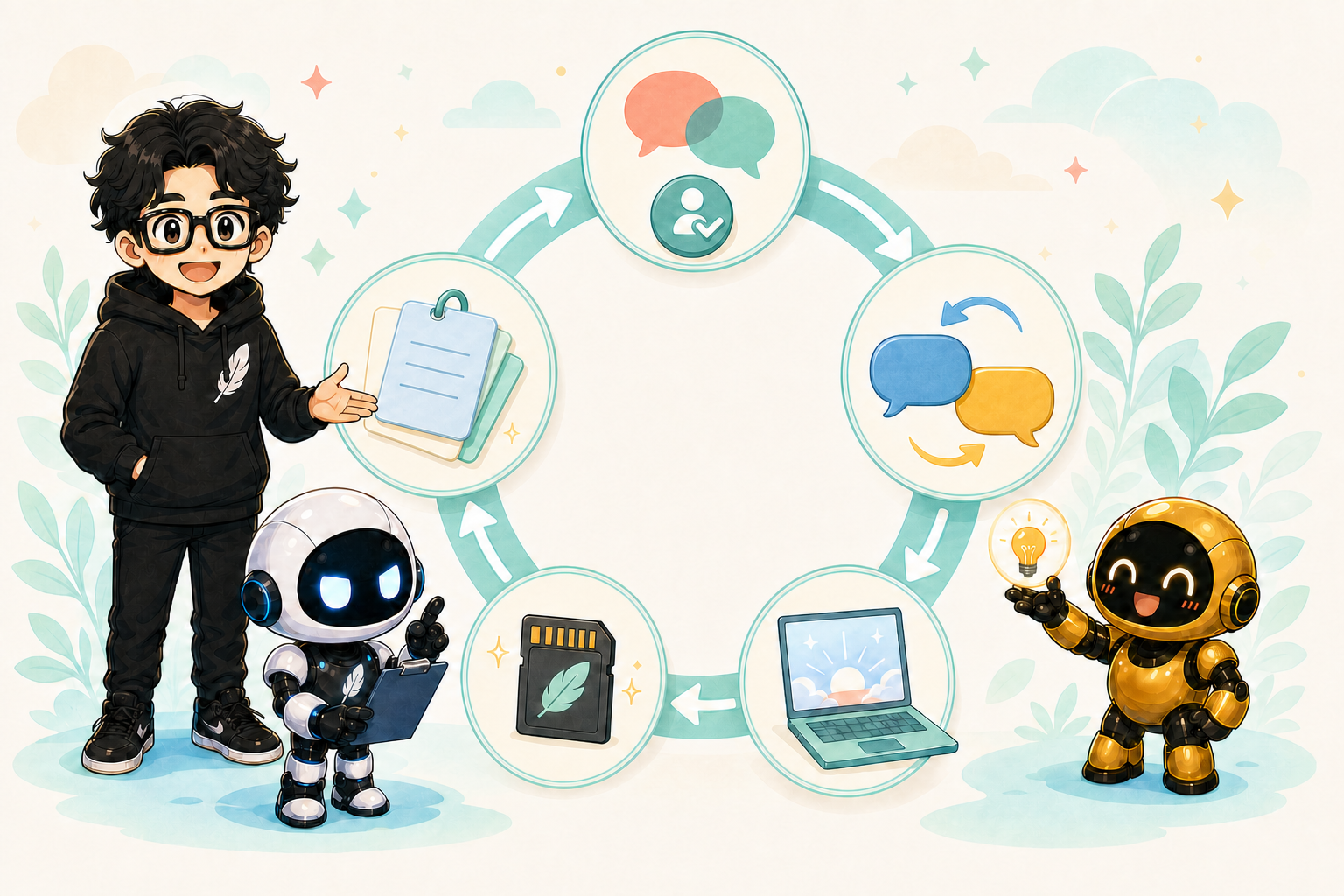
So the three of them separated things out: the directions you read first, the directions for each AI, the current decisions, and today's record. Following the links from the entry point, both Kode and Kuro could get back to where they had left off.
2. Overview
The important thing is not to put everything into one long file. Split it into four roles.
Before you begin, a human decides what the AI is allowed to do
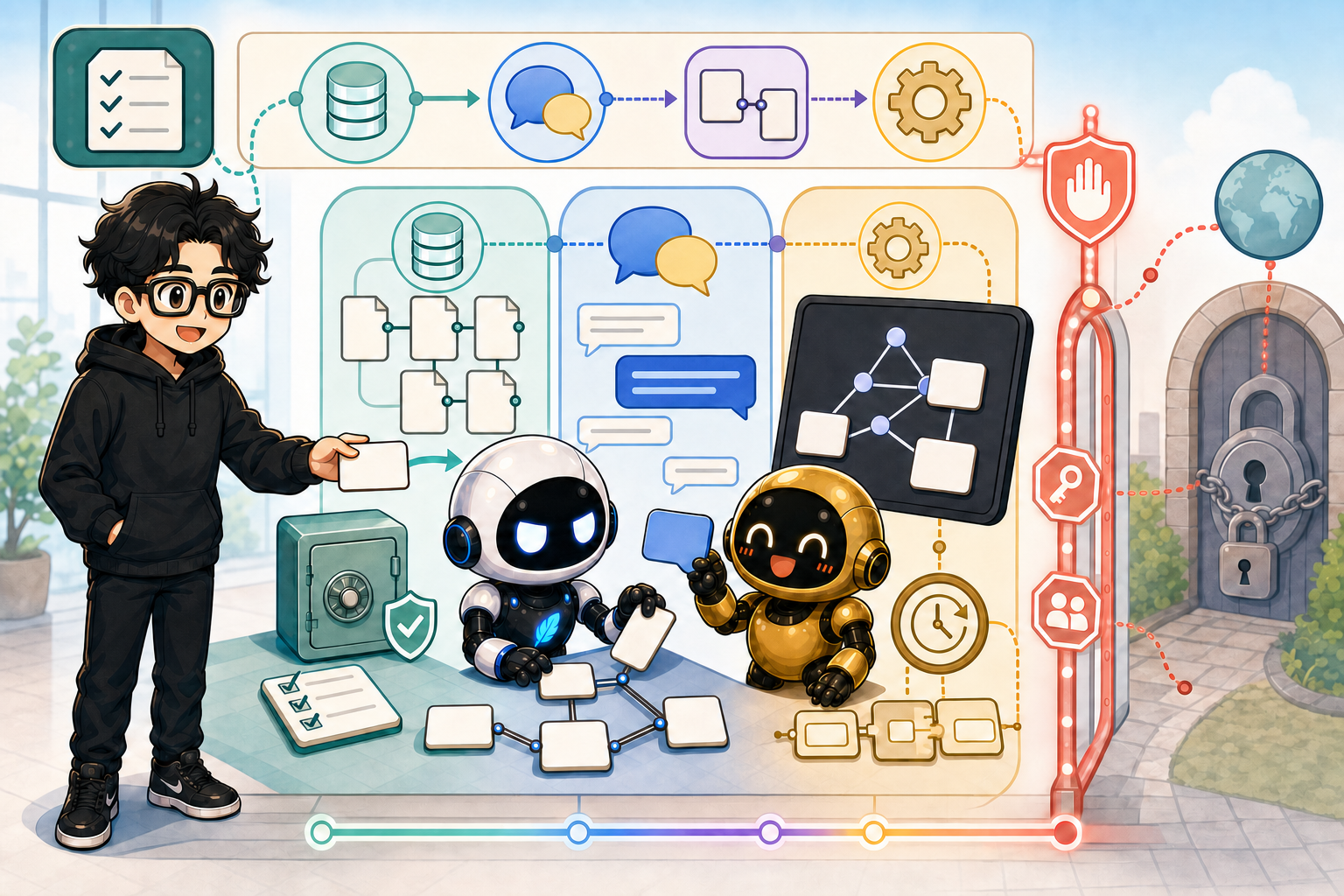
The arrangement in this manual is not a way of handing broad permissions to an AI from the outset. Whether to allow authentication, file access, network use, or connections to external services is something you decide at your own responsibility, after checking the terms of service, the rules of your company or school, and the policy of whoever administers the device. "At your own responsibility" here does not mean "allow everything without reading the warnings"; it means starting from least privilege, so that you can explain the scope you allowed and its effects.
Start with the following scope.
| What to check | The scope a beginner should choose first |
|---|---|
| Working folder | Limit what may be read and written to the working folder and the project only |
| Network, plugins, connectors | Do not enable until you need them. When you do, check what they connect to and what they can do, one at a time |
| Secrets | Do not paste the values of tokens, API keys or passwords. Manage them in a dedicated Secrets folder or in environment variables |
| Operations that affect the outside | Sending externally, publishing, deleting, permission changes and billing are confirmed by a human at the end — not left to the AI |
For Codex, an easy setting to start from is workspace-write, which permits writing inside the
project, together with on-request, which asks before operations outside that scope or before
using the network. For Claude Code as well, keep the normal confirmations at first and add only
as many permitted operations and connections as you actually need. At the beginner stage, do not
use Codex's danger-full-access or Claude Code's --dangerously-skip-permissions. Being in a
hurry is not a reason to hand over broad permissions.
On a managed device or a shared account at a company or school, do not widen the scope of authentication on your own judgement — check with an administrator or the person responsible. When a permission dialog appears, read "what is being given, which information, and for what purpose", and if you cannot explain it, do not allow it.
Official documentation:
- Codex sandbox and approvals: https://learn.chatgpt.com/docs/agent-approvals-security
- Codex
config.toml: https://learn.chatgpt.com/docs/config-file/config-reference#configtoml - Claude Code permissions: https://code.claude.com/docs/en/permissions
| File | Role |
|---|---|
AGENTS.md | The shared directions an AI reads first in this project |
CLAUDE.md | Additional directions that Claude Code reads first |
Memory.md | Decisions still in force, prohibitions, and the next actions |
| daily note | That day's conversations, progress, open questions, and links to the raw log |
Do not copy the whole history into AGENTS.md and CLAUDE.md; place links to Memory.md and
the daily note instead. That keeps the entry point short, while the detailed records stay
readable when you need them.
Separate the role of the entry point from the role of the record
AGENTS.md and CLAUDE.md are a short entry contract handed to an AI that is starting work.
Write only the purpose, the reading order, what to observe, and the conditions for stopping — do
not put conversation history or long procedures there. CLAUDE.md is used to point at the shared
entry point and to add the extra items that only Claude Code needs.
Memory.md is where things stand, still in force, which the next AI also needs. Keep the
current decisions, what is not yet decided, what may proceed next, and the Stop Lines short. In
the daily note, leave the facts by date for what happened that day — progress, results of
checks, and what is unfinished — with a source link so the detailed conversation and original
material can be traced only when needed. Do not copy every daily fact into Memory.md; a human
confirms and promotes only the decisions that stay in force.
In versions of Claude Code that support it, you can also use the import notation @AGENTS.md at
the top of CLAUDE.md. In environments where that is not available, point to AGENTS.md with an
ordinary Markdown link, as below.
Separate the rules by project
Split the work into a folder per project. Put the rules shared across everything in the parent folder, and put the purpose, the reading order and the prohibitions specific to that case inside the project.
<WORKSPACE>/
├── AGENTS.md             # shared directions for all projects
├── CLAUDE.md             # shared additional directions for Claude Code
├── project-a/
│   ├── AGENTS.md         # directions for project-a only
│   └── CLAUDE.md         # additional directions for project-a only
└── project-b/
    ├── AGENTS.md
    └── CLAUDE.md
In Codex, AGENTS.md files are read in order from the parent folders down to the current working
folder, and the AGENTS.md inside the project is applied after the shared rules above it. Claude
Code likewise reads CLAUDE.md from the current working location upwards, and adds the
CLAUDE.md inside the target folder when it is needed. In other words, the upper level is the
shared foundation, and inside the project is an override for that case alone. Use it to make the
parent's important safety rules concrete — not to erase them.
Official documentation:
- Codex: https://learn.chatgpt.com/docs/agent-configuration/agents-md
- Claude Code: https://docs.anthropic.com/en/docs/claude-code/memory
Hand over and continue when a conversation gets long
When a single chat or session grows long, the amount of context the AI handles at once increases and it can become hard to keep track of the premises. If a conversation starts to feel hard to continue, have the AI write a handover, and paste it into a new chat or session to carry on. This is not a failure; it is the normal way to tidy up the information and keep working.
Enter the following as it is.
Please summarise this conversation into a handover for the next AI.
Include, briefly: the purpose, decisions still in force, what is not yet decided, files changed,
results of checks, what may proceed next, the Stop Lines, and links to the AGENTS.md, Memory.md
and Obsidian notes that should be read.
Do not add anything speculative, and do not write Secrets or personal information.
In the new chat, paste the handover you produced and enter the following.
This is a handover from a previous chat. First read AGENTS.md, Memory.md and the latest daily
note, and check that they do not contradict the handover. Read back, briefly, where things stand,
the next action, and the Stop Line — then continue with only what may proceed next.
3. The flow, in more detail
- Put
AGENTS.mdandCLAUDE.mdat the top of the project. - Create
notes/Memory.mdand write only the decisions still in force. - Put the records by date under
notes/daily/. - Link from
AGENTS.mdtoMemory.mdand to today's daily note. - Link from
CLAUDE.mdto the sharedAGENTS.md. - At the start of work, have the AI read back the entry point and the current decisions.
- At the end of work, leave today's facts in the daily note, and any decision you will keep
using in
Memory.md.
The minimum folder layout looks like this.
<PROJECT_ROOT>/
├── AGENTS.md
├── CLAUDE.md
├── .codex/
│   └── config.toml
└── notes/
    ├── Memory.md
    └── daily/
        └── <DATE>.md
AGENTS.md and CLAUDE.md are the operating rules you have the AI read; .codex/config.toml is
the configuration of Codex's execution environment. By not mixing the two roles, you can check
"what must be observed" and "within what scope the tools may be used" separately.
Using config.toml safely
Codex's base settings shared by all projects go in ~/.codex/config.toml, and the settings for
this project alone go in <PROJECT_ROOT>/.codex/config.toml. In the per-project settings,
configure the working scope, the sandbox, the approval method, and the plugins or MCP you use —
only to the extent that case requires.
Start from a minimal example that confines writing to inside the project.
# <PROJECT_ROOT>/.codex/config.toml
# Base everything on local work inside this project.
sandbox_mode = "workspace-write"
This one line does not grant permission for Secrets, a Discord token, or sending externally.
Using external services, broad network permissions, and settings that skip approval such as
approval_policy = "never" are judged by a human, after checking the need and the impact. Do not
write token or Webhook values directly into config.toml; use a Secrets folder and environment
variables.
When you have an AI draft a Codex configuration example, enter the following.
Please draft a .codex/config.toml for this project.
Check the existing settings first; do not read or display the values of any Secret; and limit the
scope of writing to inside the project.
For any proposal that changes plugins, MCP, the network, or the approval policy, do not make the
change — explain the reason, the impact, and how to undo it.
In day-to-day use, deciding "where information goes" as well lets the AI maintain it itself.
| Something newly learned | Where it is saved |
|---|---|
| A short rule to be observed every time | AGENTS.md or CLAUDE.md |
| Where the project as a whole stands | Memory.md |
| That day's conversation and work | The daily note and the raw log |
| A correction received from a human | rules/corrections.md |
| A repeated failure and prevention of recurrence | rules/mistakes.md |
| Long background, procedures, reusable knowledge | wiki/ in Obsidian |
Keep the entry files short, and move history that has grown long into a separate note with a link. The heart of day-to-day operation is being able to ask Kode or Kuro, "decide where this should be saved, and update the links that need it."
4. How to actually set it up (Codex and Claude Code)
Files to create for both
Copy the following into AGENTS.md.
# AGENTS.md

## The purpose of this project

To develop <PROJECT_NAME> safely, with people and AI consulting each other.

## The order to read at the start of work

1. This `AGENTS.md`
2. [Current decisions](notes/Memory.md)
3. [Today's record](notes/daily/<DATE>.md)

## Basic rules

- Do not treat something that is not yet decided as though it were decided.
- Reading, organising, and local work may proceed.
- Publishing, sending externally, billing, deleting, permission changes, and the use of
  confidential information are checked with a human.
- After working, leave the facts in the daily note, and any decision that stays in force in
  Memory.md.
Copy the following into CLAUDE.md.
# CLAUDE.md

@AGENTS.md

In this project, read [AGENTS.md](AGENTS.md) first and follow the shared rules.

What Claude Code is responsible for:

- Investigating the specified scope in detail.
- Explaining implementation proposals and the points to watch, in plain language.
- Reporting what was changed and the result of checking it.
- Returning anything not yet decided, any external operation, and any Stop Line to a human.

For the current decisions, see [notes/Memory.md](notes/Memory.md).
Copy the following into notes/Memory.md.
# Memory

Last updated: <DATE>

## The purpose of this project

- Write what you want to achieve with <PROJECT_NAME>.

## Decisions still in force

- Write only what has been decided.

## Rules to follow

- Publishing, sending externally, billing, deleting, and permission changes are checked with a
  human.

## What is not yet decided

- Write what is still under consideration.

## What may proceed next

- Write the work the next AI may start on without checking first.

## Related records

- [Today's record](daily/<DATE>.md)
Copy the following into notes/daily/<DATE>.md.
# <DATE> daily note

## Today's purpose

- Write what you are working on today.

## Summary of the conversation

- Summarise briefly what the human and the AI talked about.

## What was decided

- Write what was decided today.

## What is not yet decided

- Write anything on hold, any questions, and any options.

## What was done

- Write the files you changed and the results of checking.

## What to do next

- Write the first action for next time.

## Related links

- [Current decisions](../Memory.md)
- [Raw log](../../raw-logs/<DATE>.md)
What to do in Codex
Enter the following into Codex.
Please take over this project.
First read AGENTS.md, notes/Memory.md, and notes/daily/<DATE>.md, then read back to me, briefly:
1. The purpose of the project
2. The decisions still in force
3. What is not yet decided
4. What may proceed next
Do not change any files yet.
If the read-back is correct, continue by entering the following.
The read-back is correct. Start from the top of what may proceed next, and after working,
append what you changed and the results of checking to the daily note.
If there is a new long-term decision, add it to Memory.md.
When a correction or a new rule comes up during the conversation, enter the following as well.
Please save the information added in this conversation to the right place, using the following
criteria.
- A fact for today only: the daily note
- A decision that stays in force: Memory.md
- A correction from me: rules/corrections.md
- A failure that needs prevention of recurrence: rules/mistakes.md
- Long background or procedures: the wiki in Obsidian
Keep AGENTS.md to the short rules needed at startup, and link to the detail.
At the end, report which places you saved to and which links you added.
What to do in Claude Code
Enter the following into Claude Code.
Start from CLAUDE.md, and read the linked AGENTS.md, notes/Memory.md, and
notes/daily/<DATE>.md.
Report whether you have read the same purpose, decisions, open items, and next action as Codex.
Do not make any changes during this check.
When you ask for an implementation, narrow it down to a single target.
Keeping to the current decisions, implement only <REQUESTED_CHANGE> in <TARGET_FILE>.
Do not make improvements outside that scope; report the files you changed and the results of
checking.
Ask Claude Code to tidy up before the session ends, too.
Check what was decided in this session, what is not yet decided, the next action, and any
corrections from the human, then distribute them to Memory, the daily note, rules, and the wiki,
without making AGENTS.md and CLAUDE.md unnecessarily long.
If you would be deleting existing content or rewriting a large amount of it, do not carry it out —
check first.
What to check afterwards
- Codex and Claude Code can both explain the same purpose and the same current decisions.
AGENTS.mdandCLAUDE.mdare short, and the detail is at the other end of a link.- Today's facts and long-term decisions are separated into different files.
- Pressing a link takes you to the Markdown file it is meant to.
- The AI has not turned anything undecided into a decision on its own.
- Corrections, failures, and long-form knowledge are each in their own dedicated place.
- When you ask the AI to tidy up, it can report where things were saved and which links it updated.
5. Terms used in this chapter
AGENTS.md
The shared guide that an AI such as Codex reads first in a project. It states, briefly, the purpose, the order to read things in, and the rules to follow.
CLAUDE.md
The entry point for Claude Code. Rather than copying the shared rules, it links to AGENTS.md
and states only the additional items.
Memory.md
The note that holds the decisions still in force. Not every conversation from every day — only what will be needed next time as well.
daily note
The daily note that saves that day's conversation, work, open items, and next action.
Markdown link
The way of connecting one Markdown file to another, written in the form
[display name](relative path).
knowledge routing
Looking at what kind of information something new is, and deciding where to save it: the startup rules, where things stand, the daily record, corrections, prevention of recurrence, or the wiki.
Context
The information an AI can refer to and think about at one time in the work at hand — the conversation, files, instructions, tool results, and so on. When it grows too long, you continue into a new chat using a handover note and links.
config.toml
A file in TOML format that holds Codex's execution settings, such as the sandbox, approvals,
plugins, and MCP. It is treated separately from working rules like AGENTS.md, and Secret values
are not written in it.